
Show me the money!
It’s not just candidates asking anymore, though, now it’s the law.
More and more often, employers are being required to share pay information with prospective candidates when posting job opportunities. Many have chosen to post this information even when it’s not mandatory. However, different locations have different requirements about what must be posted. So how should you configure your SuccessFactors instance to be compliant with pay transparency laws?
I’m going to outline the steps to take to properly configure SuccessFactors Recruiting for pay transparency. First, though, we need to make a few assumptions:
- The employer has pay ranges in their job architecture for each job.
- The employer is using SuccessFactors Recruiting Management, Recruiting Marketing, and Employee Central with Position Management.
- The employer wishes to allow recruiters to edit the pay information that is posted on requisitions, to accommodate for union requirements or localization.
Step 1: Define Posting Range Fields on Requisition
The standard minimum and maximum pay fields need to be defined on the requisition, so they can be auto-populated with data from the job architecture. The pay range fields that are posted will need to be text fields, so they can be mapped to Recruiting Marketing properly. Because these posting fields are only used for Recruiting purposes, they don’t belong in the job architecture. They should be populated on a requisition and used only for that requisition.
You can do this configuration in Admin Center>Manage Templates or via Provisioning, using an xml editor:
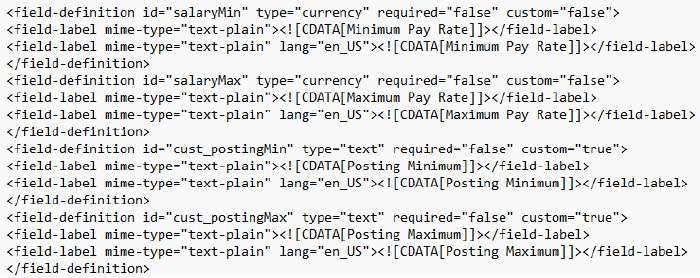
Don’t forget to permission the fields. Typically, the standard minimum and maximum pay fields are read-only, as they will be auto-populated. The posting range fields are editable so the recruiting operator can edit them or add context. If you don’t wish to allow editing, you could set business rules to auto-populate them, and even hide them from the user. You might also want to update other settings, such as making these fields reportable.
Step 2: Set Business Rules to Populate Pay Ranges
Set up the business rule to map position data to the requisition, including the salaryMin and salaryMax fields. You may also want to include others like salaryMid or paygrade.
Admin Center>Configure Business Rules
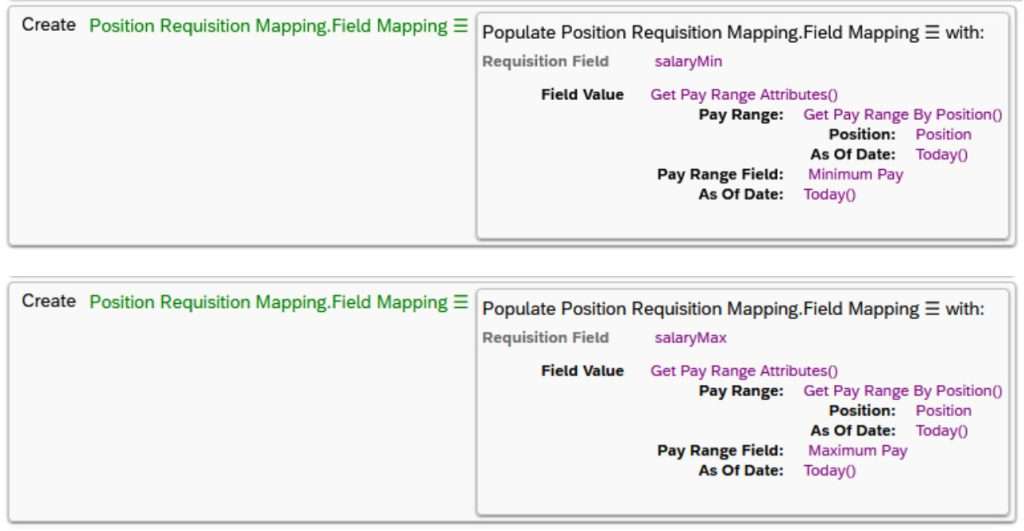
Once populated, this is how the fields will look on a requisition:
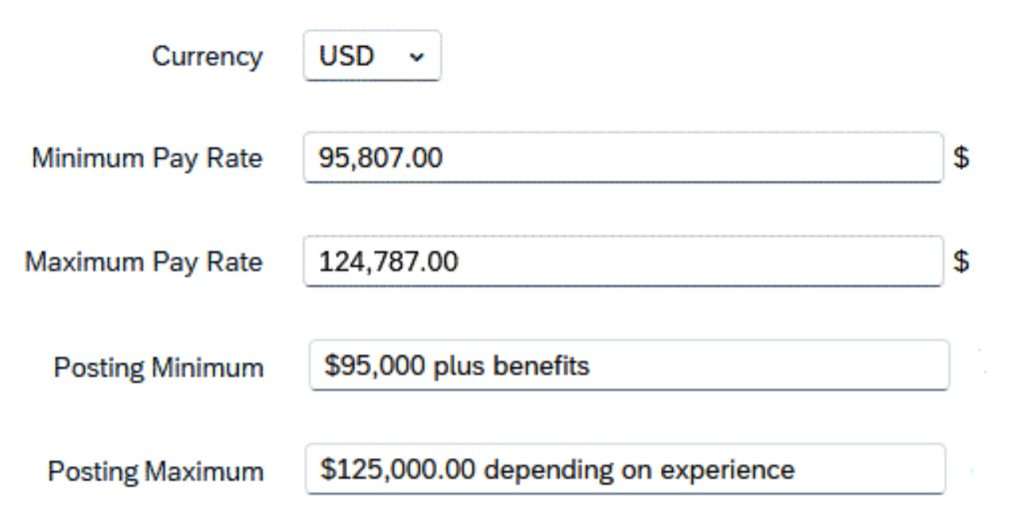
When populating these fields, keep your end goal in mind. If your jobs will be reposted on job boards that require only an amount in these fields, don’t add additional comments.
Step 3: Map Posting Fields to Recruitment Marketing
The fields from the requisition need to be mapped to Recruiting Marketing so they can be posted. Each needs to be in a discrete field so job boards can properly use this data. If you are concerned about using the limited custom fields available, you can also repurpose standard fields for mapping.

Step 4: Relabel Recruitment Marketing Fields
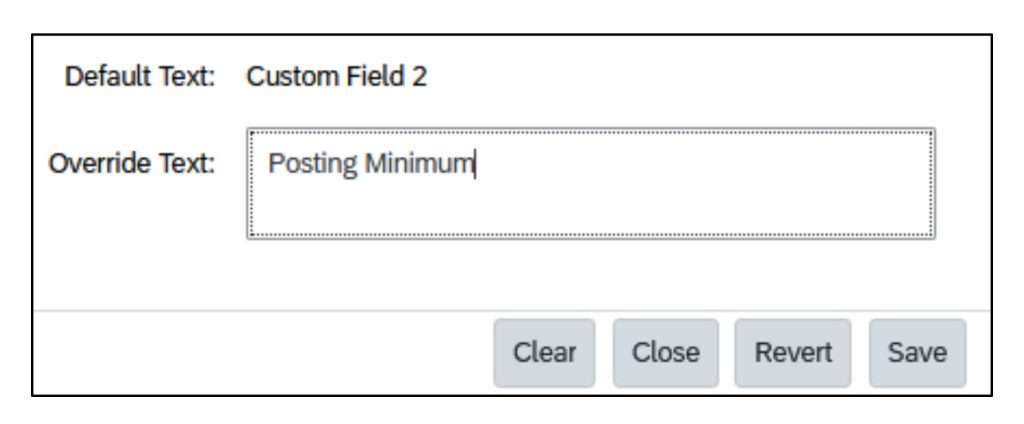
In Recruiting Marketing, you’ll need to update translations so the fields you created have the correct labels. Find the standard fields you mapped in Step 4, and update the labels to match the fields as defined on the requisition.
Career Site Builder>Tools>Translations
Step 5: Add Posting Fields to Job Layouts
Add the fields to your job layout in Recruiting Marketing. This will allow the job posting to display these fields discretely, rather than including them in the text of the job description.
Career Site Builder>Layouts>Job
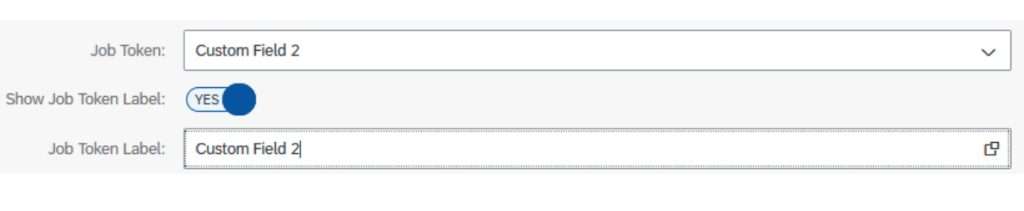
When the job is posted, these fields will be available for candidates to see, and will also be available if posting partners scrape your site.

Step 6: Include Posting Fields in XML Feeds
If your job postings are being distributed to job boards via xml feed, confirm with the vendor if changes are needed to make sure these pay range fields can be received and used on those third-party postings. The vendor should be able to tell you the layout that needs to be used. If changes are needed, you will have to work with an implementation partner or support to update your job feeds.
As pay transparency is becoming part of our everyday, the details are still shifting. Some places now require you to provide information on available benefits or other compensation. Some places have different requirements for different sizes of employers. Many of the laws are still being ironed out and requirements are changing frequently. Make sure you check with your legal or compliance advisors to assure you are meeting all the requirements wherever you post job opportunities.
While the necessity of posting pay information has been a big shift in mentality for many employers, studies have shown that candidates are more apt not to apply for positions that don’t meet their needs, thereby reducing the number of candidates recruiters may need to screen. It also offers employers an opportunity to differentiate themselves in other ways, such as company culture and future growth. The underlying intention is to make this playing field fair for everyone involved.